debug.log
While working with Octo Browser, various situations may arise in which the information from the debug.log file can be helpful.
If you have access to and can launch Octo Browser, you can access the folder with the log files in your account settings (Settings -> Additional -> Open the logs folder).
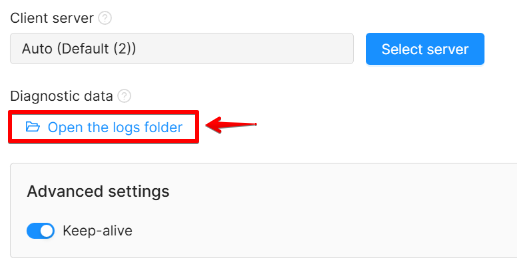
If for any reason you cannot launch Octo Browser, follow these steps to locate the debug.log file:
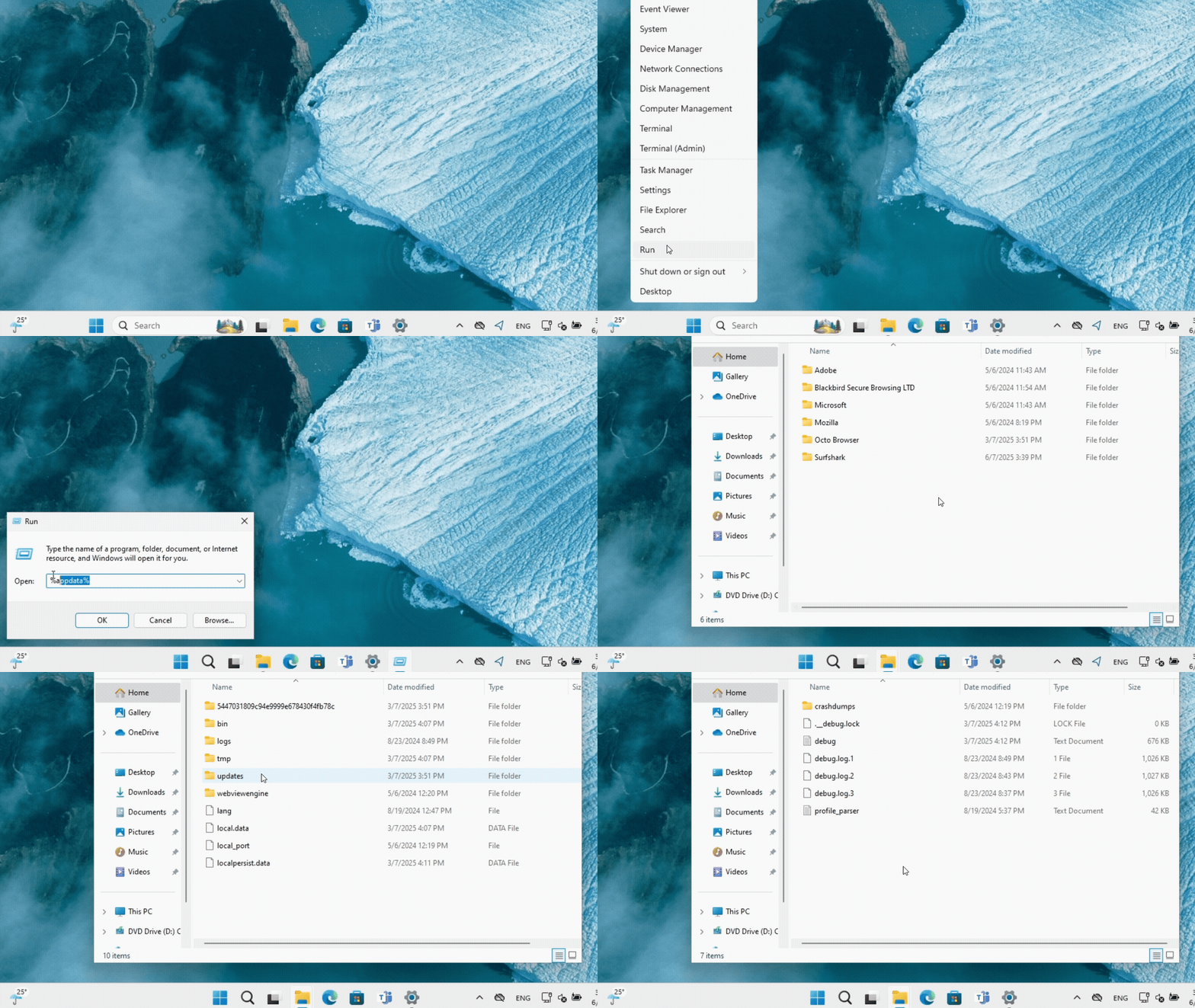
On Windows:
- Press the key combination "Win" + "R"
- In the window that opens, enter %appdata%, then OK
- Go to the "Octo Browser" folder, then to the "logs" folder
- Send the debug.log file to Octo Customer Service
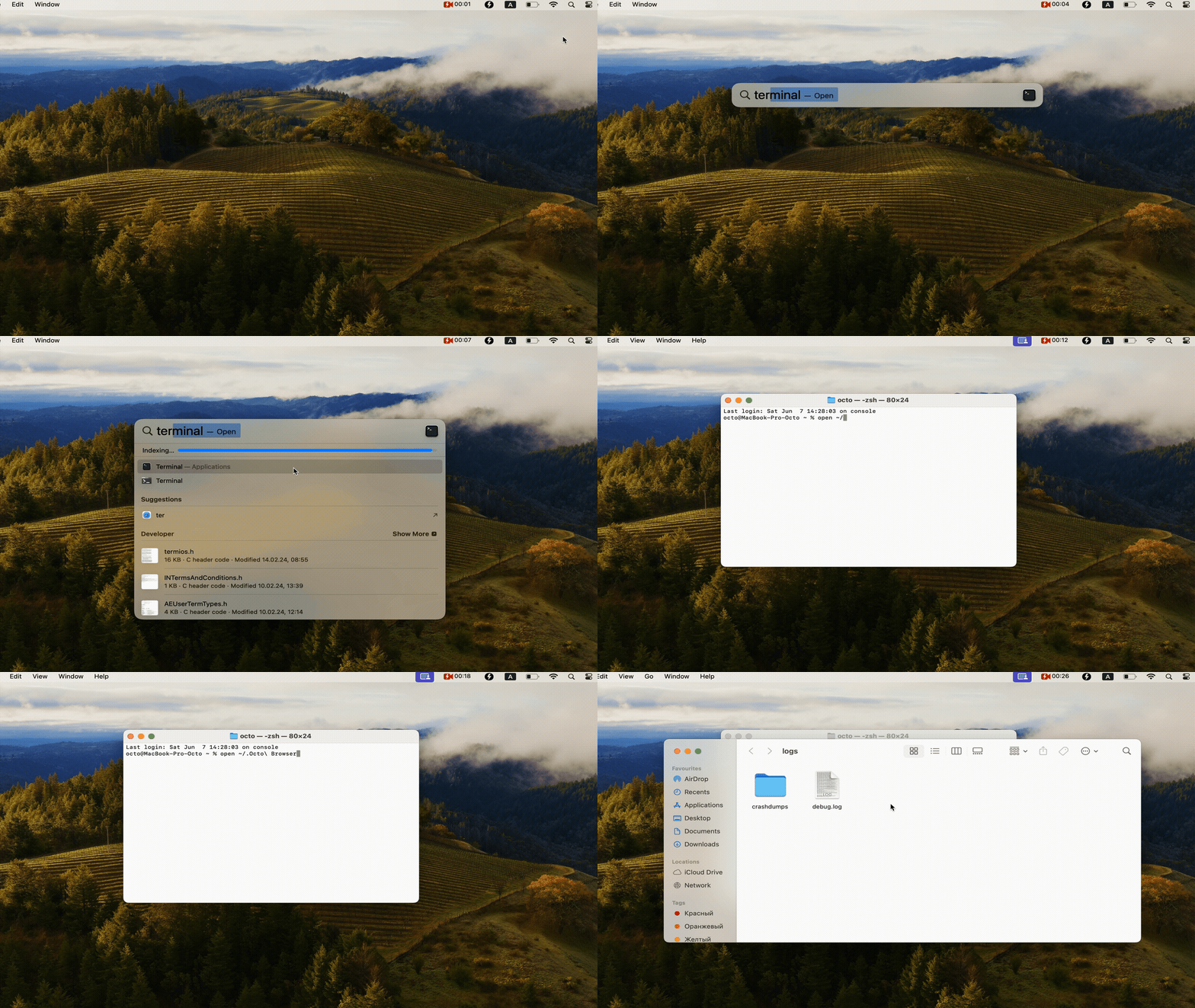
On macOS:
- Execute open ~/.Octo\ Browser/logs command in the terminal
- Send debug.log to Octo Customer Service specialists
On Linux:
- Run the xdg-open ~/.Octo\ Browser/logs command in the terminal
- Send debug.log to Octo Customer Service specialists